Cadmon Systems, a monday.com Partner, sets up monday.com as one place for requests, approvals and KPI boards, and connects it to Priority and your other systems through Make.com. An approval on the board updates the ERP without anyone typing it again.
Partner
Cadmon Systems is a monday.com Partner
2
Priority companies, in Israel and the USA, on one approval board
7
Make.com scenarios behind the approval board
4
Order change types, with routing rules between the two companies
When requests and approvals run over email and WhatsApp, nobody sees one picture of what is open, and someone has to remember to update the ERP after every approval. monday.com gives every request one home, and Make.com carries the decision into your systems.

✕ Requests and approvals scattered across emails and WhatsApp groups
✕ After an approval, someone updates the ERP by hand
✕ Management has no single view of what is open and what is stuck
✓ Every request opens in a form and moves to one approval board
✓ An approval on the board updates Priority through Make.com
✓ KPI boards show management what is open and what is stuck
From board architecture to connections with your ERP and AI agents.

monday.com is where people request and approve, and Priority updates after the approval.

Management dashboards in monday.com, so leaders see what is happening without asking for a report.

Boards, Connect Boards relations and forms, built around your process.

AI agents and WhatsApp flows triggered from monday.com that update it in return.
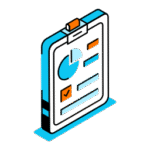
Tracking boards for implementation projects, with a clear status for every phase.
Make.com connects monday.com to the ERP, to email and to the rest of your tools.
We work in phases, and you see a result at every step before we move on.
01
A written document covering the requests, the approval steps, the fields and the rules, so everyone agrees on what gets built.
02
One complete process runs on a real board. A person approves the data before it is written to the ERP.
03
We sit down with the person who owns the process and decide what works, what changes and what comes next.
04
We add processes, teams or companies, and you get clear documentation of everything we built.
The challenge: An Israeli manufacturer runs two Priority companies, LTD in Israel and INC in the USA. Every order change had to be updated in both environments, and approvals were scattered across email.
The solution: A change request opens in a monday.com form and moves to an approval board. After approval, seven Make.com scenarios write the change to Priority across four change types.
Every request and approval is recorded on one monday.com board, and the order lines in both companies update together.
More projects where monday.com runs the work.
Boards, workflows and KPI boards for every project and every team.
An AI agent answers repeat questions and passes only what matters to a person.
Every project where monday.com is connected to other systems.
An approval in monday.com is written to Priority, including custom forms and subforms.
Five connected services: Make.com, business process automation, AI agents, Priority ERP and monday.com.
Does Cadmon Systems work with monday.com?
Yes. Cadmon Systems is a monday.com Partner and uses monday.com as the request, approval and KPI layer on top of ERP systems. For an Israeli manufacturer, order change requests flow from a monday.com form to two Priority companies in Israel and the USA.
Can monday.com connect to Priority ERP?
Yes. Make.com connects monday.com to Priority through Priority's OData API, so an approval on a board updates the record in Priority. For an Israeli manufacturer, seven Make.com scenarios carry out four types of order change.
Can you build KPI dashboards for management in monday.com?
Yes. Cadmon Systems builds KPI boards and management dashboards in monday.com, based on board architecture, Connect Boards relations and forms. The data can come from the ERP and other systems through Make.com.
Can monday.com trigger an AI agent?
Yes. monday.com can trigger AI agents and WhatsApp flows, and Make.com carries out the actions in your systems. Cadmon Systems built a WhatsApp AI agent on top of monday.com for a parking technology company.
How long does a monday.com implementation take?
A typical integration project runs 4 to 8 weeks, and multi-phase AI programs take longer. Every project starts with a written specification that defines what gets built.
On a discovery call we map how requests and approvals move today, and decide together what to bring into monday.com first.